While recovery from Hurricane Harvey is under way and evacuations begin in Florida as Irma approaches, Total HIPAA wants to remind you of the importance of a Disaster Recovery Plan. Fires in the west, flooding from Harvey and destruction expected from Irma are exactly why you need a Disaster Recovery Plan to protect not only PHI but all of your business data.
A Disaster Recovery Plan describes how an organization plans to handle potential disasters, and enable you to quickly get your business functioning again. HIPAA requires your organization to have a fully developed and tested Disaster Recovery Plan.
When it comes to your Disaster Recovery Plan, there must be more than one person trained to keep your systems running; whether it is your servers going down, the destruction of your computers or the loss of mobile devices caused by a natural disaster or human error.
Planning for the Disaster
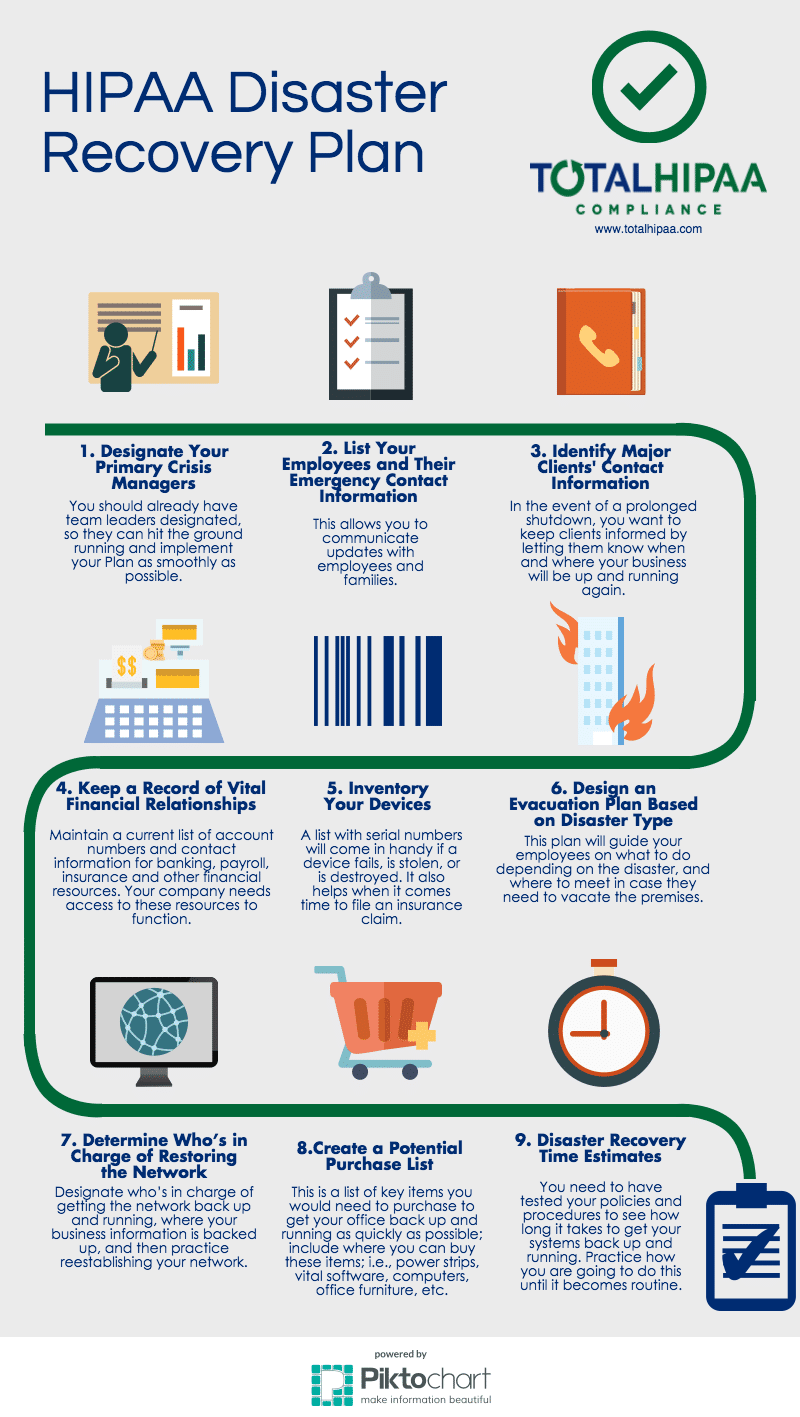
To be proactive, follow these nine steps to create a Disaster Recovery Plan:
- Designate your primary crisis managers
- List employees and their emergency contact information
- Identify major clients’ contact information
- Keep a record of vital financial relationships
- Inventory of all devices
- Design an evacuation plan based on disaster type
- Determine who is in charge of restoring the network
- Create a potential purchase list
- Estimate disaster recovery times
Testing and Feedback
It is not enough to simply have a plan in place; your plan should also be tested because it assures that everyone involved understands the process in depth. Testing can also help you determine which parts of your plan work well and which parts can be improved upon in order to be most effective and successful. After testing your plan, your team should evaluate and document the effectiveness of the plan, as well as your workforce. For more information about different types of tests you can run and what to do after a test, visit our previous blog Testing Disaster Recovery Plans.
Backup and Recovery
The most important parts of a Disaster Recovery Plan are the backup and recovery of your data. Doing all the planning and testing in the world will be useless if there is no data to recover. Likewise, there is no purpose in planning if there is no one who knows how to recover the data from the server or the cloud.
Ensuring the confidentiality, integrity, and availability of all PHI you create, receive, maintain or transmit is required under HIPAA.1 We recommend your organization backup all data on a daily basis to prevent loss in case of accidental deletion, natural disaster, system failure, or corruption.
There are two common ways electronic data is stored. Which one you use will determine your backup method.
- Cloud Computing: Cloud storage providers have the capabilities to allow copies of data to be remotely stored and maintained as a security measure.2 Your data is stored in another location and accessed from your device through the internet. This especially comes in handy in the event of a disaster. To assure all areas of the Disaster Recovery Plan are covered by your cloud storage vendor, a Business Associate Agreement is required to be signed by each party.
- Internal Server: If your organization stores data locally on a server(s), there are some precautions to consider. Backing up the server(s) is essential, but what if it’s infected by malware? We recommend you have secondary drives with your data stored at an off-site location (e.g. safety deposit box, safe). Lenovo has a great interactive infographic about decisions regarding internal servers. Check it out to see the importance of a reliable internal server in the event of a disaster.
As mentioned previously, multiple people should be trained on how to perform a recovery. Additionally, be sure the people doing the recovery are involved in creating the Disaster Recovery Plan. Employees usually find it challenging to write documentation that is clear enough for another person to use. So if those doing the recovery are involved in creating the document, they should not find the procedures hard to follow. Disaster Recovery Plans should not be a one shot deal; they need to be continually updated to reflect changes in the organization and technology. The Plan should also be broken down by each hypothetical situation because an electrical surge will necessitate a different strategy compared to flooding in the building.
Consequences for not preparing a Disaster Recovery Plan can result in damage to your business’ reputation, potential penalties and fines by government entities, and greater risk to your clients’ confidential information.
Donation Opportunities
Hurricane Harvey has caused widespread, catastrophic flooding and damage in Texas and along the Gulf Coast. There are many organizations supporting the relief efforts and below are three incredible ones providing help to those who need it most. All donations to the following will exclusively support relief and recovery efforts from this storm. Citizens along the east coast in the current path of Hurricane Irma will also need assistance in the coming days.
American National Red Cross:

The American Red Cross is working around the clock along the Gulf Coast to help the thousands of people whose lives have been devastated by Hurricane Harvey. Help those in need through your contribution to the American Red Cross.

Houston Food Bank:

Your support helps provide meals for hungry neighbors who have been affected by Hurricane Harvey. Together, we can help people in their greatest time of need.
Texas Diaper Bank:

The Texas Diaper Bank is reporting an extreme need for diapers. Your support will provide diapers to displaced families where there is an urgent request for donations, stating that diapers are not provided by disaster relief agencies.